Nota, BRM’s Meetings Agent is now live
If it was promised in a meeting, Nota knows.
Nota joins your vendor calls, captures every commitment that was made, and files it on the vendor’s Relationship, where your team and BRM Agents can act on it.
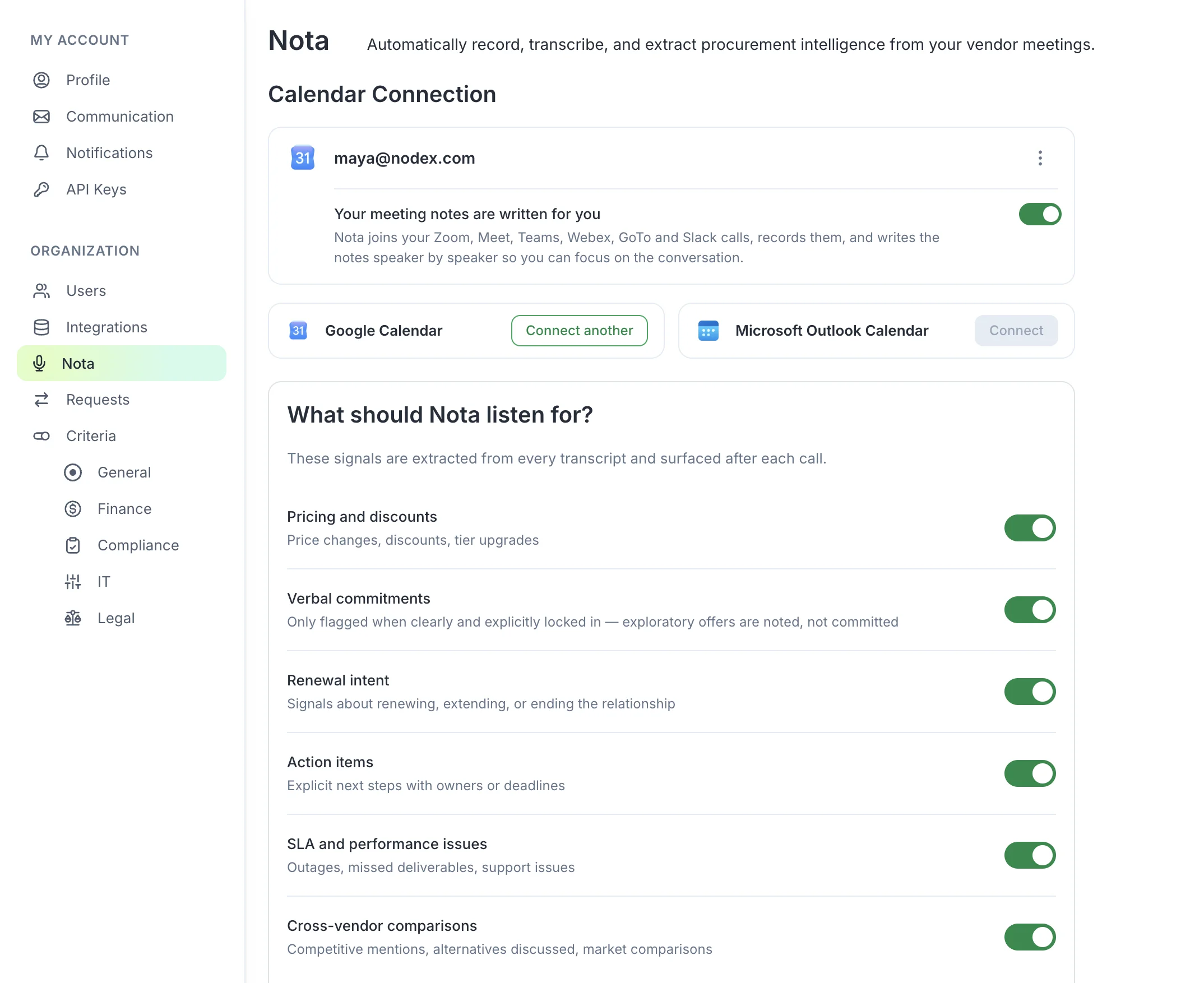
Already a BRM customer? Go to My Account → Settings → Nota to connect your calendar.
- Zoom
- Google Meet
- Teams
- Built into BRM
- SOC 2 Type II
Vendor promises are made out loud.
Most of what gets agreed with a vendor is agreed on a call. A rep offers to hold your price for another year or mentions that migration support is included, and nobody writes it down.
When the invoice arrives at full price months later, no one can say for sure what was promised. That costs you money today and leverage at the next negotiation.
Your vendor’s rep logged that call in a CRM before it ended. Now you have a record of your own.
Three steps. No new tools to learn.
-
Step 1: Connect your calendar.
Nota joins your scheduled vendor calls on Zoom, Google Meet, and Teams. For anything else, paste a meeting link into the Meetings tab and Nota records it.
-
Step 2: Nota captures what matters.
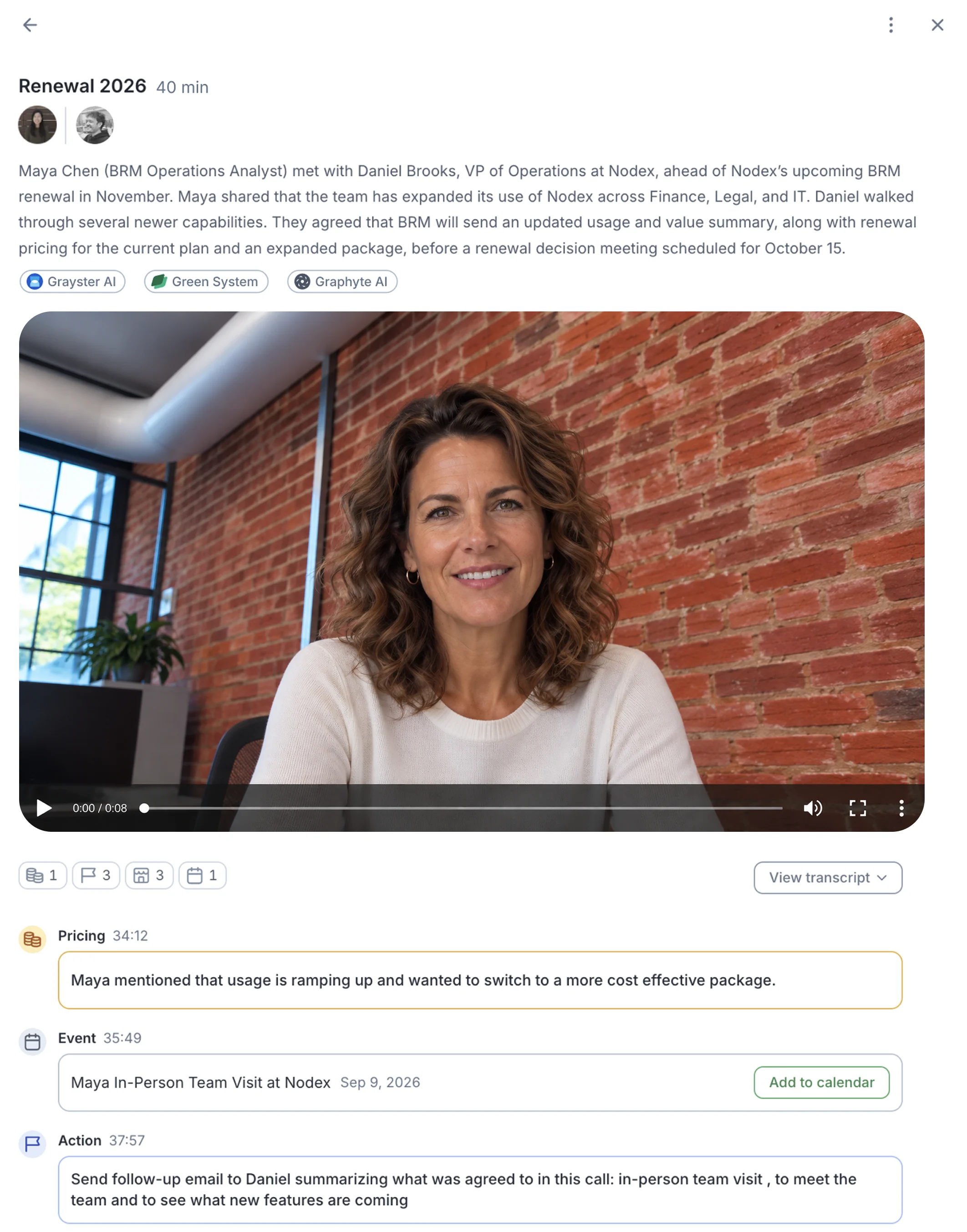
You get a summary, a full transcript, and signals: pricing quoted, commitments made, actions agreed, and dates mentioned, each linked to the moment it was said.
-
Step 3: It’s filed on the Relationship.
Nota identifies the vendor, links your agreements with them, and adds the meeting to that vendor’s Relationship page and timeline.
Every commitment, on the record.
Signals, linked to the source.
Every price, commitment, action, and date links back to the exact line in the transcript, so there’s never a debate about what was said.
Your rules, on every call.
Write rules in plain language, like “flag anything over $5,000 a month,” and Nota listens for them in every meeting you join.
Your organization’s rules, too.
Set hard rules for everyone: no 3-year terms, flag auto-renewals, no sole-source without CFO approval. If a vendor crosses one on a call, Nota flags it.
Filed on the Relationship.
Each meeting lands next to the vendor’s agreements, spend, and email, with related agreements linked, so you can check what the rep quoted against what you’re paying.
Your team, in the loop.
Meetings appear on the Relationship timeline, where colleagues can comment and tag whoever needs to see a particular moment.
Dates become events.
When a date comes up on the call, Nota suggests a calendar event you can add to BRM in one click.
You decide where Nota goes.
Nota always joins external vendor group calls. Internal 1:1s, internal group meetings, and external 1:1s each have their own toggle, and you can override any single meeting or recurring series.
Private meetings are visible to everyone invited, public meetings to your whole organization, and you can share a private meeting with a specific colleague.
Trained on procurement, terms, and contracts.
Nota isn’t a general-purpose AI that happens to join meetings. It was built specifically for vendor relationships and commercial negotiation — it understands contract language, pricing structures, SLA terms, renewal mechanics, and the signals that matter in a procurement context.
- Contract terms
- Pricing structures
- SLA mechanics
- Renewal patterns
- Negotiation signals
- Vendor relationships
- Commercial models
- Commitment language
Get what was promised.
And if you don’t, you have the record, and Agents that will go after it for you.
Already a BRM customer? Go to My Account → Settings → Nota to connect your calendar.